




Best Real Estate Virtual Tour Software For Architectural Immersion

Share:
Table of Contents
For real estate photographers, videographers, and tech-forward realtors, immersive media has transitioned from a luxury add-on to a fundamental requirement. Utilizing the best virtual tour software for real estate allows professionals to bridge the physical gap between a property and prospective buyers. However, software is only as good as the visual theory and technical execution behind it. In this article, we will analyze the regional dynamics demanding virtual tours, evaluate the top real estate virtual tour software, dissect why software alone cannot replace expert editing, and demonstrate how strategic outsourcing elevates your brand.
1. The evolving landscape of real estate & spatial presentation
In the contemporary real estate landscape, static photography, no matter how meticulously framed, is no longer the sole king of visual marketing. As architectural designs become more fluid and buyer demographics shift globally, space must be experienced, not just viewed.
1.1. Regional real estate nuances: Why architecture dictates tech needs
- Dense urban markets: Properties often feature complex, compact floor plans where maximizing perceived spatial flow is critical. Virtual tours here must accurately convey volumetric geometry and natural light transmission through tight spaces.
- Suburban & luxury estates: Here, scale, landscape integration, and indoor-outdoor transitions dominate. A virtual tour must seamlessly stitch expansive exterior grounds with interior spaces without losing dynamic range or spatial continuity.
- Historic & architectural gems: Intricate moldings, custom millwork, and nuanced lighting require absolute clarity. High-resolution rendering and pristine color accuracy become paramount to honor the property's craft.

1.2. Why modern local markets demand specialized virtual tour solutions
Buyers are increasingly purchasing homes remotely, moving cross-country, or investing internationally. A standard 2D image gallery fails to answer basic spatial questions: How does the master suite connect to the nursery? What is the sightline from the kitchen island to the patio?
By leveraging dedicated real estate virtual tour software, creators can craft interactive walk-throughs that provide spatial context, accurate measurements, and a true sense of volume. However, because local light conditions, architectural layouts, and camera hardware vary, choosing the right platform and supporting it with correct post-production is vital.
2. Top 8 virtual tour software for real estate (In-depth review)
Navigating the market for virtual tour software for real estate can be overwhelming. Below is an architectural and photographic breakdown of the top 8 platforms available today, analyzing their visual output, usability, pros, cons, and pricing structures.
|
Software |
Primary best use |
Key strength |
Starting price |
|
1. Matterport |
3D digital twins |
3D digital twins |
Free / $9.99/mo |
|
2. 3DVista |
Pro customization |
Desktop power/offline |
$499 (One-time) |
|
3. Kuula |
Web smoothness/ease |
Budget/HDR engine |
Free / $20/mo |
|
4. CloudPano |
Agency white-label |
Sales/live video |
$39/mo |
|
5. Metareal Stage |
Architectural precision |
True 3D mesh output |
Free / Pay-per-tour |
|
6. EyeSpy360 |
Remote guided tours |
Live video chat tour |
$15/mo |
|
7. iStaging |
Mobile capture |
Rapid deployment |
$29/mo |
|
8. Pano2VR |
Advanced photographers |
Deep node control |
~$150 (One-time) |
2.1. Matterport
Overview: Matterport is the undisputed titan of 3D spatial capture, famous for its proprietary "Dollhouse" view and highly accurate infrared/photogrammetric scanning capabilities.
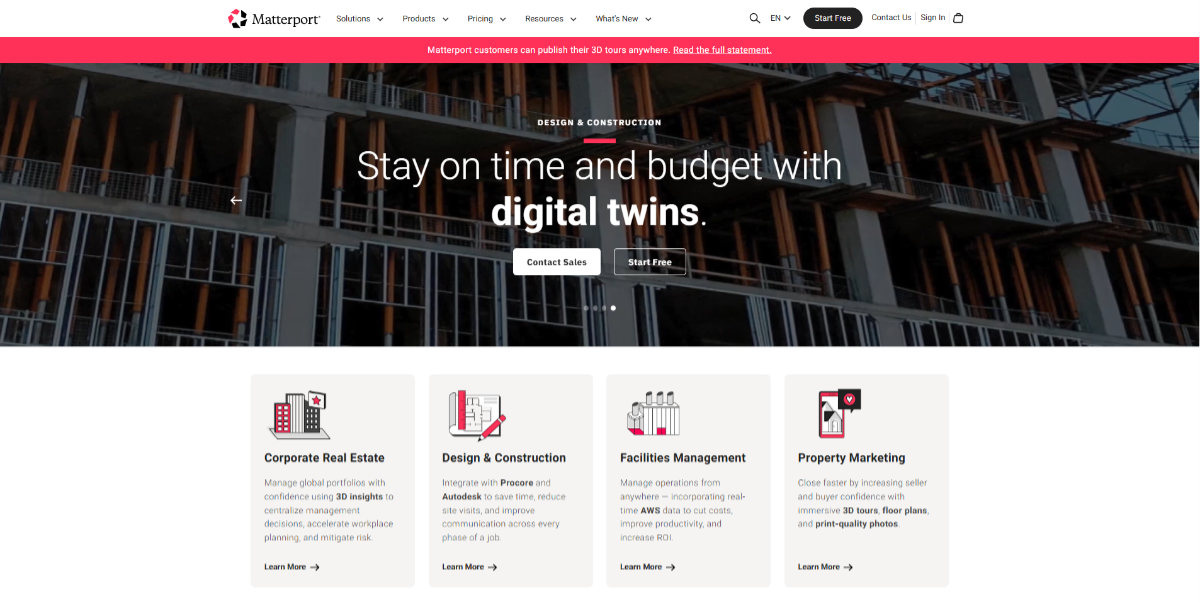
- Strengths: Unrivaled spatial fidelity, automated 3D mesh generation, schematic floor plan extraction, and immense brand recognition among high-end realtors.
- Weaknesses: Closed ecosystem (hosting lock-in), limited manual photo editing control within the platform, and high recurring subscription costs for large portfolios.
- Pricing: Free plan available (limited); Paid plans start at $9.99/month (Starter) up to enterprise-level tiers.
2.2. 3DVista Virtual Tour Pro
Overview: Designed for professional photographers and visual purists, 3DVista is a desktop-based real estate virtual tour software that offers complete artistic control without hosting lock-ins.
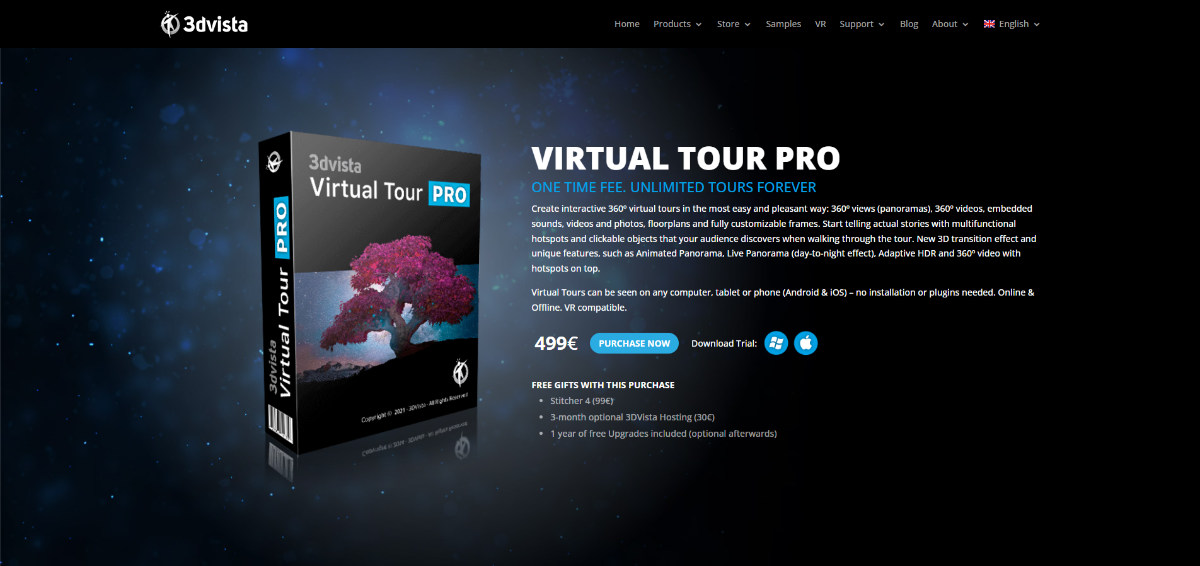
- Strengths: Exceptional visual quality preservation, capability to embed animated panoramas, live video hotspots, custom UI/UX design, and zero monthly hosting fees (if self-hosted).
- Weaknesses: Steep learning curve; requires basic knowledge of web hosting, asset optimization, and spatial UI layout.
- Pricing: One-time purchase of $499 per license.
2.3. Kuula
Overview: A streamlined, cloud-based platform recognized for its blistering load speeds, smooth panorama transitions, and highly accessible user interface.
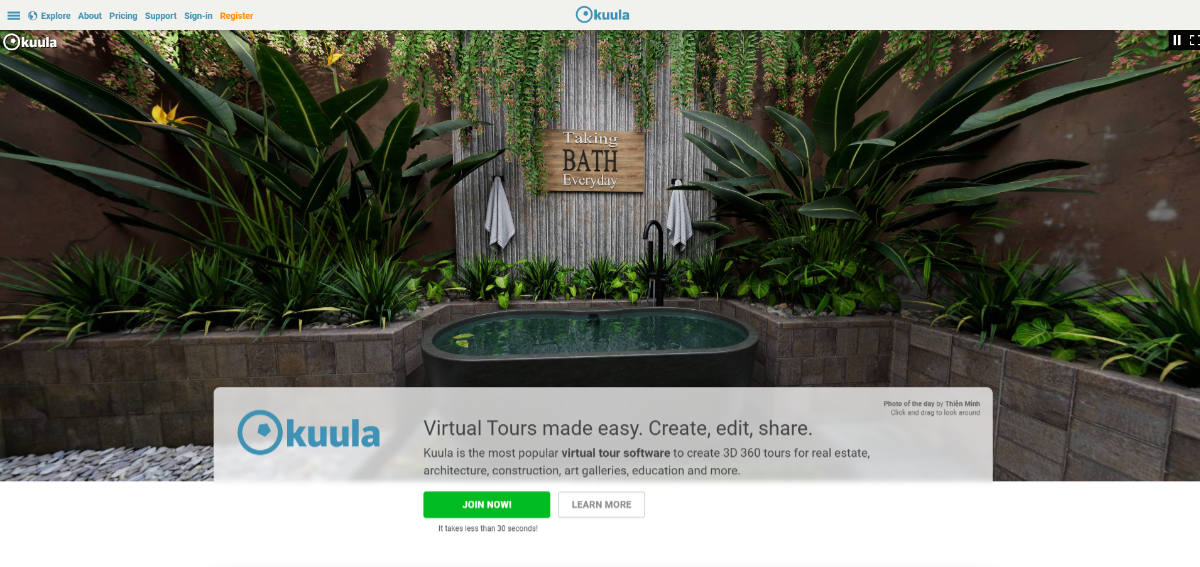
- Strengths: Outstanding web performance, excellent mobile-responsive design, intuitive interface, and built-in image enhancement controls (brightness, contrast, dynamic range tweaks).
- Weaknesses: Lacks native 3D dollhouse mesh generation (relies primarily on 360-degree panorama nodes).
- Pricing: Free basic plan; Pro plan starts at $20/month; Business plan at $36/month.
2.4. CloudPano
Overview: Built specifically with real estate marketers and photography agency scaling in mind, CloudPano emphasizes white-label customization and lead generation tools.
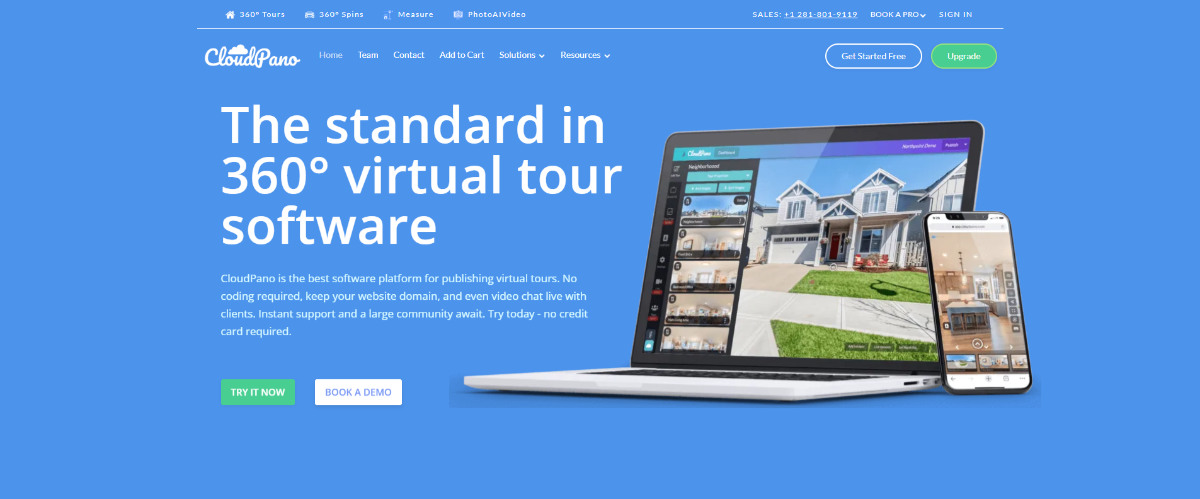
- Strengths: Complete white-labeling (use your own domain), integrated video chat tours for live virtual open houses, and direct floor plan integration.
- Weaknesses: Interface can feel slightly busy; visual rendering relies heavily on the quality of user-uploaded images.
- Pricing: Pro Plus at $39/month; Lifetime access options occasionally available.
2.5. Metareal Stage
Overview: Metareal Stage bridges the gap between 360-degree photo stitching and true 3D spatial modeling, turning standard equirectangular photos into navigable 3D spaces.
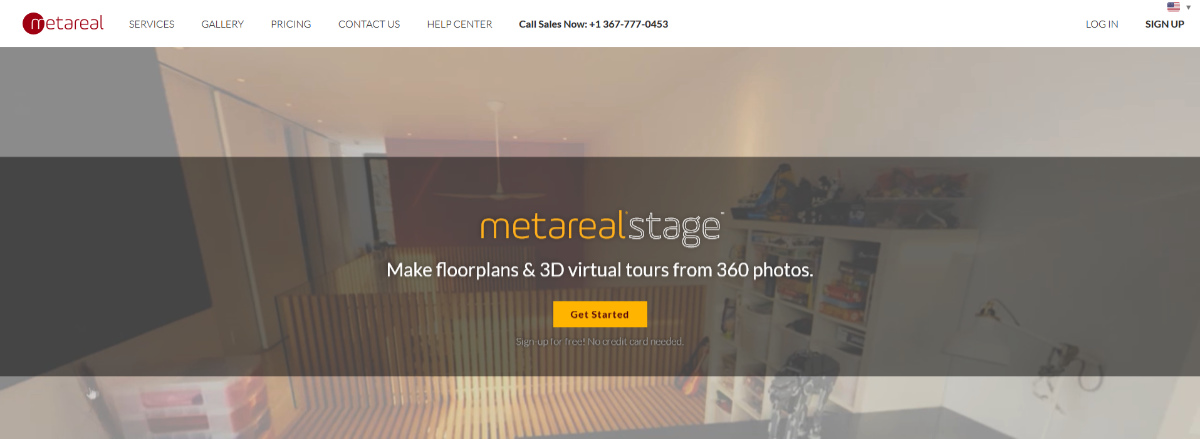
- Strengths: Builds actual 3D models from regular 360 photos, resulting in smooth, continuous walk-throughs rather than abrupt node jumps. High architectural accuracy.
- Weaknesses: Building the 3D model manually takes significant time or requires paying their team to process it.
- Pricing: Pay-per-project model or monthly subscriptions starting around $9.95/month.
2.6. EyeSpy360
Overview: EyeSpy360 is an enterprise-ready cloud platform geared toward self-service virtual tours with a strong emphasis on live broadcast capability.

- Strengths: "EyeSpyLIVE" feature enables realtors to host live, voice-and-video guided tours inside the virtual environment. Quick processing time.
- Weaknesses: Custom styling options are somewhat conservative compared to desktop solutions like 3DVista.
- Pricing: Starter plans begin around $15/month, scaling up based on active tour storage.
2.7. iStaging
Overview: A versatile, highly mobile-friendly ecosystem aimed at rapid tour creation using smartphones, 360 cameras, or DSLR setups.

- Strengths: Extremely quick workflow, excellent augmented reality (AR) integrations for staging furniture, and accessible pricing for high-volume agents.
- Weaknesses: Output visuals can lack dynamic range if captured purely via mobile apps without professional lighting brackets.
- Pricing: Starts at $29/month for fundamental real estate features.
2.8. Pano2VR
Overview: The Swiss Army knife for technical photographers. Pano2VR is desktop software that gives you full control over node linking, projection geometry, and interactive scripting.

- Strengths: Complete data control, offline tour capabilities, extensive patch tools (easy tripod removal), and zero ongoing subscription fees.
- Weaknesses: Highly technical interface; not suited for realtors looking for a quick "upload and publish" solution.
- Pricing: Single license starts at approximately $150 (Light) to $400+ (Pro).
3. How to choose the right real estate virtual tour software
Selecting the best virtual tour software for real estate depends entirely on your specific position in the market. As an architect or high-end photographer, your metrics for evaluation will differ from a busy leasing agent. Consider the following architectural and photographic parameters:
|
SOFTWARE SELECTION DECISION MATRIX | ||
|
User profile |
Key priority |
Recommended software |
|
High-end photographer |
Image quality & UI control |
3DVista Pro / Pano2VR |
|
Commercial/3D focused |
Spatial precision & mesh |
Matterport / Metareal Stage |
|
Busy real estate agent |
Speed & ease of use |
Kuula / iStaging |
|
Marketing agency |
White-labeling & sales |
CloudPano / EyeSpy360 |
- Image processing engine: Does the real estate virtual tour software preserve the subtle dynamic range of your bracketed raw files, or does it compress imagery, introducing color banding and loss of highlight detail in windows?
- Navigation logic: Does the software support true spatial transitions, or are users simply teleporting between disconnected floating bubbles?
- Floor plan synthesis: Can the software convert panoramic data into schematic 2D/3D floor plans with accurate visual dimensions?
- Hardware versatility: Does it lock you into a specific camera body (e.g., dedicated infrared scanners), or can you shoot with a full-frame DSLR, fisheye lens, or standard 360 camera?

4. The hidden craft of editing: Why real estate virtual tour software alone isn't enough
A common misconception among real estate professionals is that acquiring sophisticated virtual tour software for real estate eliminates the need for manual image post-processing. In reality, software is merely the delivery vehicle; the visual asset loaded into it defines the viewer's emotional response.
4.1. The architectural optics gap
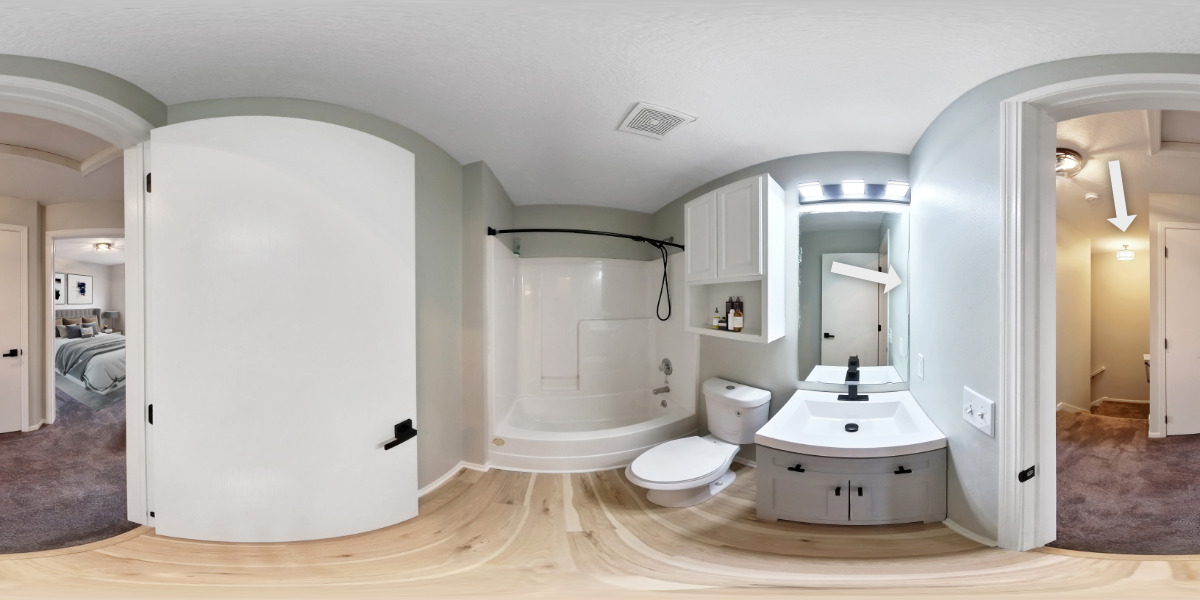
360-degree cameras capture everything, including harsh mixed color temperatures (tungsten ceiling lights versus daylight coming through window glass), lens distortion, flared highlights, and the camera tripod itself.
- Window pulls & dynamic range: Software automated stitching rarely handles extreme luminance ratios. A living room with sunshine pouring through glass will result in blown-out windows or muddy interiors unless manually blended via multi-exposure HDR techniques.
- Color cast & material integrity: Wood floors can appear orange, gray stone walls can cast blue, and ambient lawn reflections can stain white ceilings green. Architectural integrity demands meticulous color correction.
- Visual clutter removal: Cable management, tripod legs, mirror reflections of the camera rig, and minor wall blemishes ruin spatial immersion. Standard tour platforms can't automatically clean up these visual defects.
4.2. Scaling your business: Why Fotober is the ultimate partner for creators
Whether you are an individual real estate photographer, a boutique agency, or a high-volume broker, time spent sitting at a computer stitching panoramas, removing tripod shadows, and balancing exposures is time taken away from acquiring new clients and shooting listings.
This is where Fotober serves as an indispensable visual engine.
|
FOTOBER CREATIVE SERVICES MENU | |
|
Service |
Architectural / Photographic benefit |
|
360 panorama enhancement |
Flawless window pull, flash blending, color balance |
|
Tripod & rig removal |
Clean visual nadir patches for seamless immersion |
|
2D/3D floor plan redraws |
Professional vector plans built directly from tour scans |
|
Virtual staging |
Photorealistic furniture placement in empty 360 spaces |
|
HDR image processing |
Natural, clean exposures preserving highlight detail |
- Masterful 360-degree image enhancement: Before importing panoramic frames into real estate virtual tour software, Fotober’s dedicated editors hand-process your files. We balance extreme highlights, eliminate chromatic aberration, align converging vertical lines, and patch the tripod point (nadir) flawlessly.
- Accurate schematic floor plan creation: A virtual tour is exponentially more effective when paired with a clean floor plan. Fotober takes the dimensional data or rough sketches from your tour shoots and transforms them into crisp, branded 2D or 3D floor plans that meet international marketing standards.
- Photorealistic 360 virtual staging: An empty home feels cold and lacks spatial reference. Fotober can virtually stage 360-degree panoramic imagery with architecturally accurate, hyper-realistic furniture. This lets buyers using your virtual tour software visualize layout, scale, and lifestyle potential effortlessly.
- Operational scalability & cost efficiency: Investing in high-end visual production shouldn't mean working 18-hour days in post-production. By partnering with Fotober for your 360-degree photo editing, panorama cleaning, and floor plan generation, you drastically reduce your delivery turnaround times while maintaining pristine artistic consistency.
5. Conclusion
The real estate industry has fundamentally transformed. Utilizing powerful real estate virtual tour software like Matterport, 3DVista, or Kuula is essential to meeting the expectations of today’s modern, visual-first property buyers.
However, software alone only handles the interactive framework. The true magic lies in the fidelity of the visual assets themselves: the lighting, color accuracy, pristine surfaces, and spatial harmony. By combining advanced virtual tour software with the professional post-production prowess of Fotober, photographers, videographers, and realtors can produce breathtaking visual experiences that captivate buyers, impress sellers, and win listings.
Ready to elevate your real estate virtual tours to architectural perfection?
Explore our specialized 360-degree panorama editing, HDR enhancement, and virtual staging solutions today at Fotober and transform how you present space to the world.
Follow us on social media to acquire more useful tips and in-depth analysis on real estate marketing, 360° virtual tours, and up-to-date details of our services!
- Facebook: fotobermedia.co
- YouTube: Fotober
- TikTok: @fotober
- Instagram: fotober_media.
Related posts

Cincinnati Housing Market 2026: Prices, Trends, and What It Means for Buyers, Sellers, and Investors
October 20, 2026

Modern Luxe Interior Design: Elements, Style Guide and How to Stage It
October 10, 2026

Minimalist Interior Design: Characteristics, Style Guide, and Staging
October 8, 2026

Coastal Interior Design: Style Definition & Staging Guide
September 30, 2026
