




Airbnb Virtual Staging: How to Fill Rentals and Win World Cup Bookings

Share:
Table of Contents
- 1. Why Airbnb virtual staging wins bookings during the World Cup rush
- 2. How to virtually stage an Airbnb, step by step
- 3. Choosing virtual furniture and Airbnb listing photo optimization
- 4. Why use a professional Airbnb virtual staging service?
- 5. Frequently asked questions about Airbnb virtual staging
- 6. Conclusion
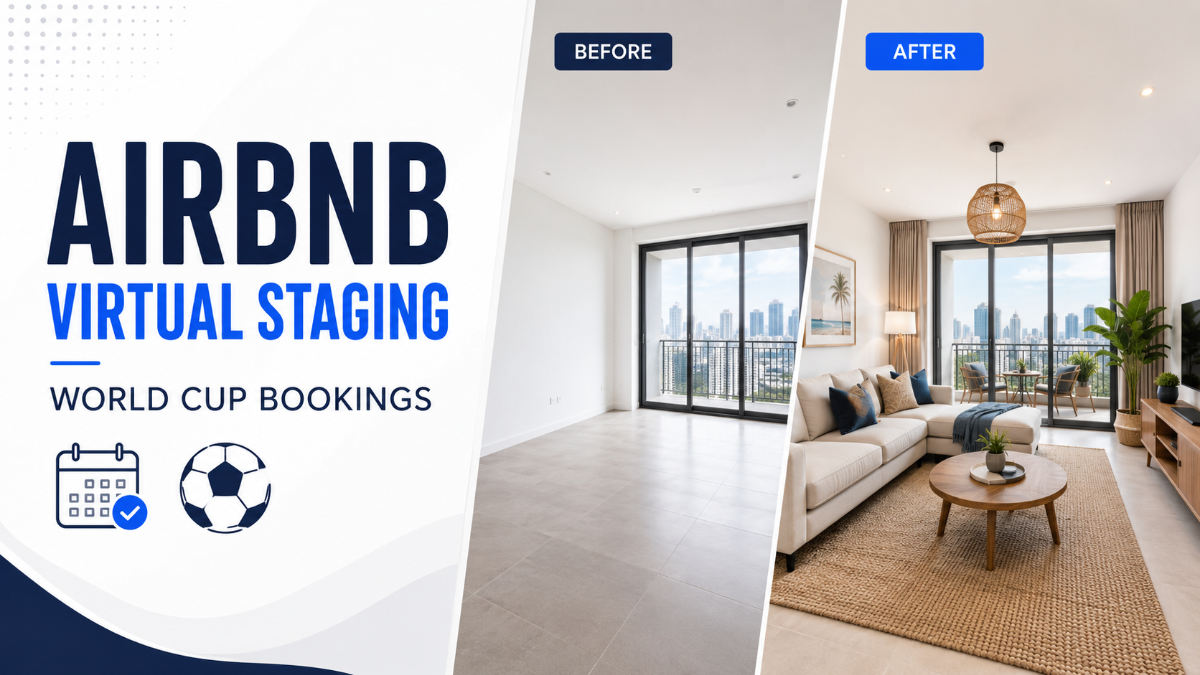
Airbnb virtual staging helps hosts transform empty vacation rentals into warm, bookable listings without the cost or delays of physical furniture. With the 2026 FIFA World Cup bringing increased demand across 16 North American host cities from June 11 to July 19, hosts near stadiums need listing-ready photos that can capture attention quickly. By digitally furnishing vacant rooms, virtual staging allows guests to visualize the stay, improves the listing’s visual appeal, and helps properties compete more effectively in crowded search results. This guide explains how the process works, the rules hosts should follow, and how to prepare compelling photos in time to attract more World Cup bookings.
Key takeaways
- Airbnb virtual staging digitally adds furniture and decor to photos of a vacant unit, usually for a fraction of the $1,500-plus that physical staging costs.
- Listing photos are the single biggest lever on bookings: Airbnb's own analysis of 14,700+ listings found professional photography earned hosts about 21% more and roughly 19% more bookings over the next year.
- For a live-in rental, photos must match reality, so use staging to plan and preview the real furnishings and to enhance the space as it actually is.
- Stage the rooms guests weigh most: living area, main bedroom, and kitchen.
- During a demand spike like the World Cup, fast turnaround beats volume, so outsourced editing that returns images in 24-48 hours is the practical route.
1. Why Airbnb virtual staging wins bookings during the World Cup rush
Airbnb virtual staging helps vacant rentals compete because guests judge listings by their photos before reading the description. A furnished, inviting room earns more clicks than an empty space, especially when thousands of new listings enter the market during a major event.
- Better photos drive stronger results: Airbnb's own analysis of more than 14,700 listings found that listings with professional photography earned about 21% more and received roughly 19% more bookings. Other research has also linked higher-quality images to increased bookings and revenue.
- Staging helps guests visualize the stay: Empty rooms make it difficult to understand scale, function, and comfort. Virtual furniture shows how the space can be used without the cost or delay of physical staging.
- The World Cup creates a limited booking window: Demand near host cities will peak around match dates. Listings that are not visually ready may miss the most profitable weeks.
- Polished photos support higher nightly rates: Professionally staged galleries communicate greater value, helping hosts avoid competing only through discounts.
- Speed matters during a demand surge: Virtual staging can prepare a vacant rental much faster than sourcing, delivering, and arranging real furniture.
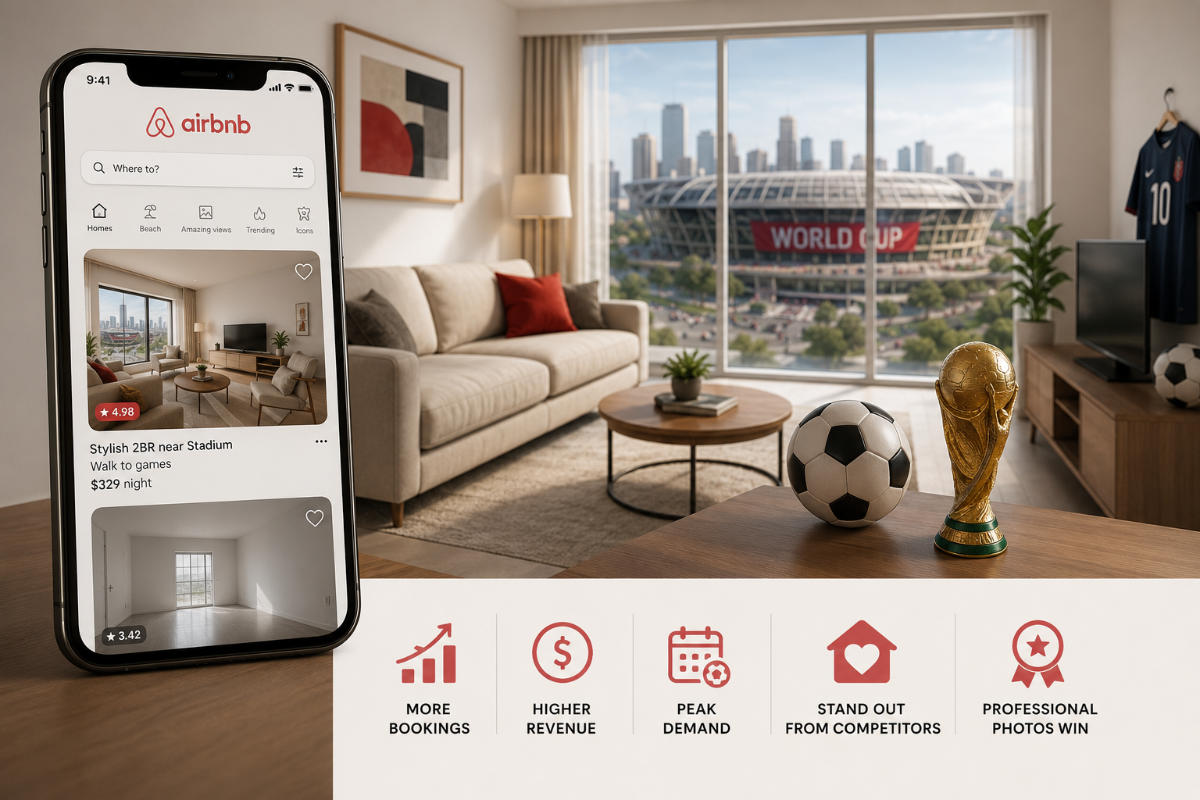
For hosts near World Cup venues, virtual staging is not simply decoration. It is a practical way to attract attention, protect pricing, and convert increased demand into bookings.
2. How to virtually stage an Airbnb, step by step
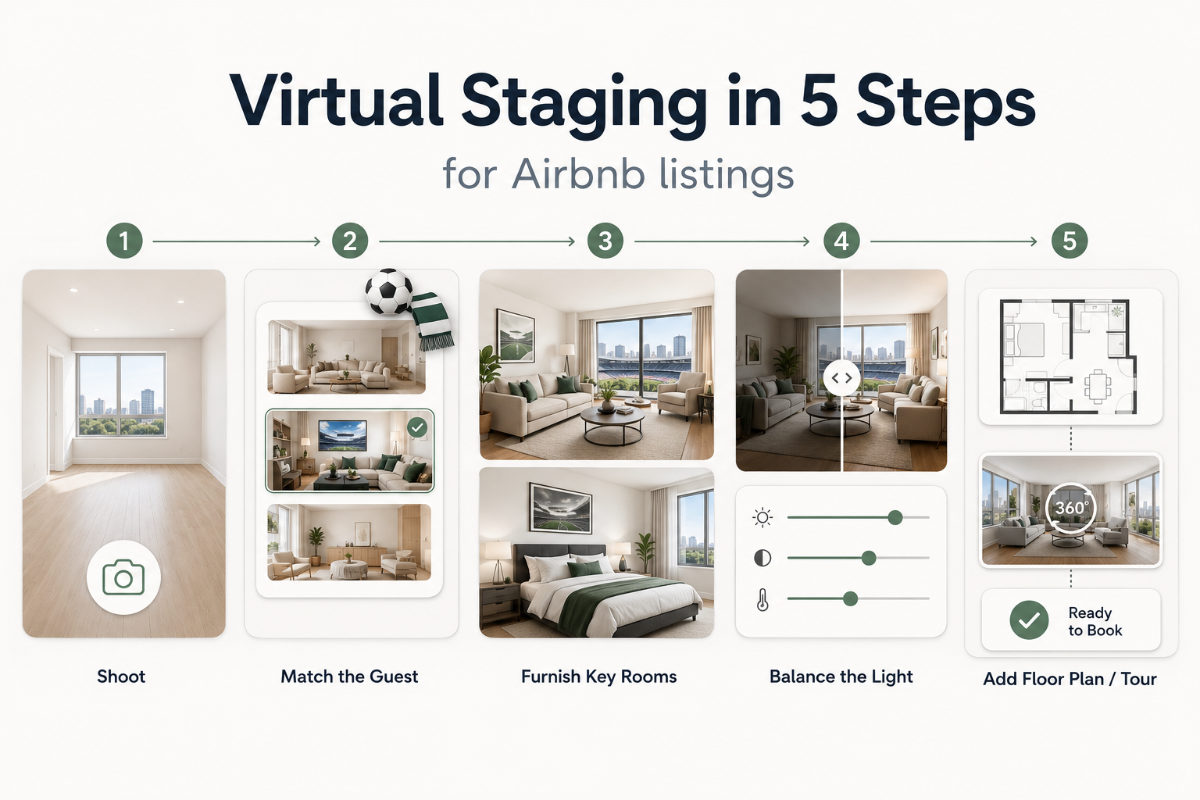
Airbnb virtual staging follows a repeatable sequence, and each step sets up the next, so the order matters as much as the tools. The goal is a clean, well-lit photo of the real room, staged in a style that matches your target guest, then finished so the whole set looks consistent. Done in this order, a vacant unit can go from bare to bookable without a single delivery truck or a weekend of assembly.
2.1. Clear the room and shoot it right
Start with an empty, spotless space and capture it properly, because the editor can only build on the photo you provide. Open every curtain, turn on the lights, and shoot straight, eye-level, wide-angle frames of each key room so the walls stay vertical and the space looks its true size. A crooked, dim source photo forces compromises later, while a clean, bright one gives the staging room to shine. Shoot each room from the doorway corner that shows the most floor, and you will hand your editor the most flexible canvas to work with.
2.2. Pick a style that fits your World Cup guest
Decide who you are hosting before you choose a single sofa, because the look should speak directly to that traveler. A downtown studio marketed to fans flying in for a match wants a modern, low-maintenance vibe, while a suburban home aimed at visiting families wants comfortable, kid-friendly warmth. Matching the style to the guest raises the odds that they picture their own trip in your space, rather than scrolling to the next listing. Keep the palette current and neutral enough to photograph well across phones, tablets, and desktops, since that is where the booking decision actually happens.
2.3. Furnish the rooms that matter most
Prioritize the living area, the main bedroom, and the kitchen, since those are the spaces guests weigh most heavily when they scan a gallery. NAR's staging research echoes this, with agents ranking the living room, primary bedroom, and kitchen as the highest-impact rooms to stage. Choosing the right virtual furniture for Airbnb means scaling each piece to the room's actual dimensions and leaving natural walking paths, so the layout looks livable rather than cramped. Resist the urge to fill every corner, because negative space reads as roominess and roominess sells.
2.4. Balance the light, then finish the whole set
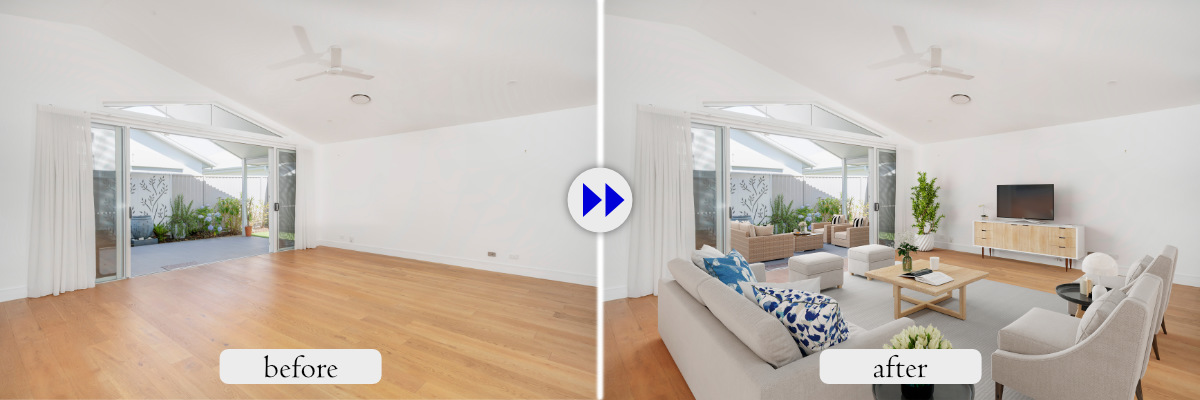
Finish by correcting exposure and color so every image in the listing looks like it belongs to the same home. Uneven brightness or clashing white balance across photos reads as amateur and quietly erodes trust before a guest even notices why. A professional editor evens out the tones, cleans up distractions like scuffed baseboards or stray cables, and can convert a flat daytime exterior into a golden-hour shot that stops the scroll. Consistency across the full set is what makes a listing feel professionally produced rather than pieced together.
2.5. Add a floor plan or virtual tour to seal the booking
Once the rooms are staged, a simple floor plan and a clean set of wide shots help guests commit because uncertainty is what kills a booking. Travelers organizing a group trip for the tournament want to know how many people really fit and how the space flows before they pay. A redrawn floor plan answers that in one glance, and a well-ordered photo set carries them through the unit room by room. Together, these extras turn a browser into a booker without adding a day to your prep timeline.
3. Choosing virtual furniture and Airbnb listing photo optimization
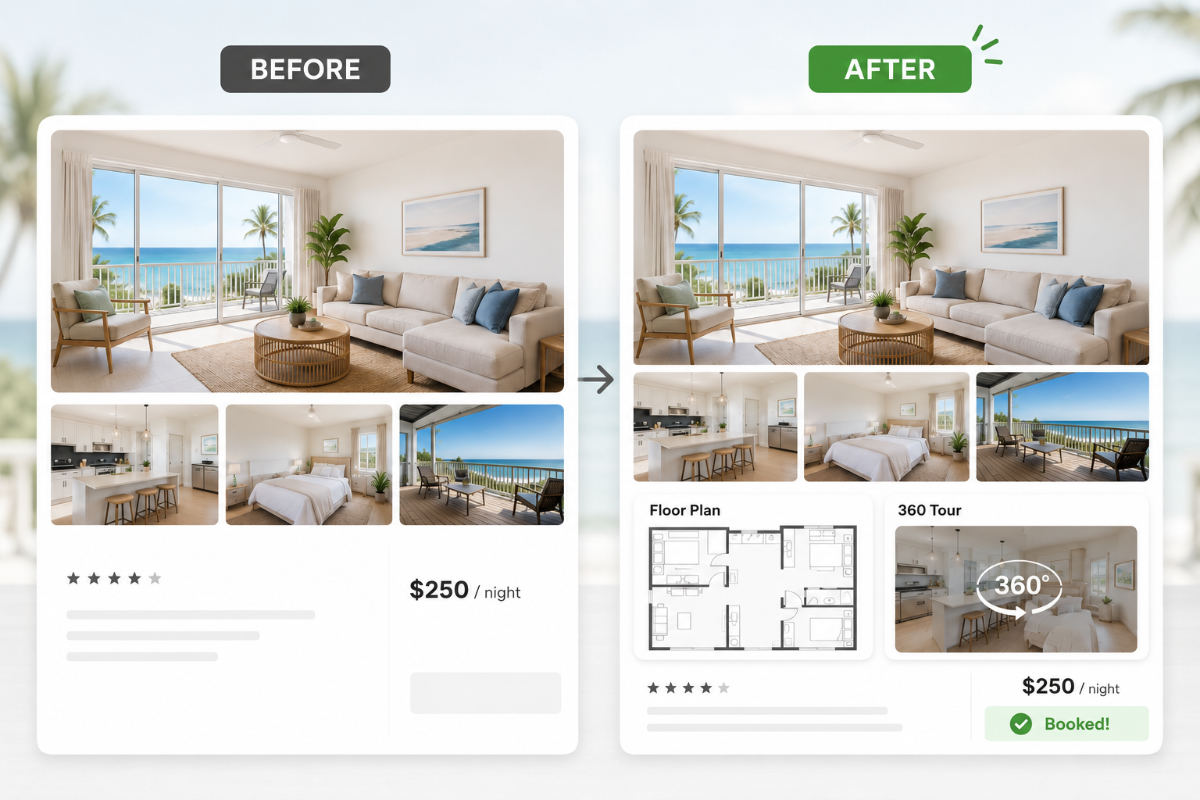
The right approach is to stage only what the guest will actually find on arrival, because a short-term rental is lived in, not sold. This is the core difference between staging to sell a house and staging a rental: a buyer tours the home in person, but an Airbnb guest books on trust and then stays in the exact space your photos promised. Nearly all travelers say photo accuracy matters, and a listing that shows a sofa that is not there earns bad reviews fast. Used honestly, virtual staging for vacation rentals becomes a planning and presentation tool rather than a bait-and-switch that torpedoes your rating.
3.1. Match the furniture to the real space
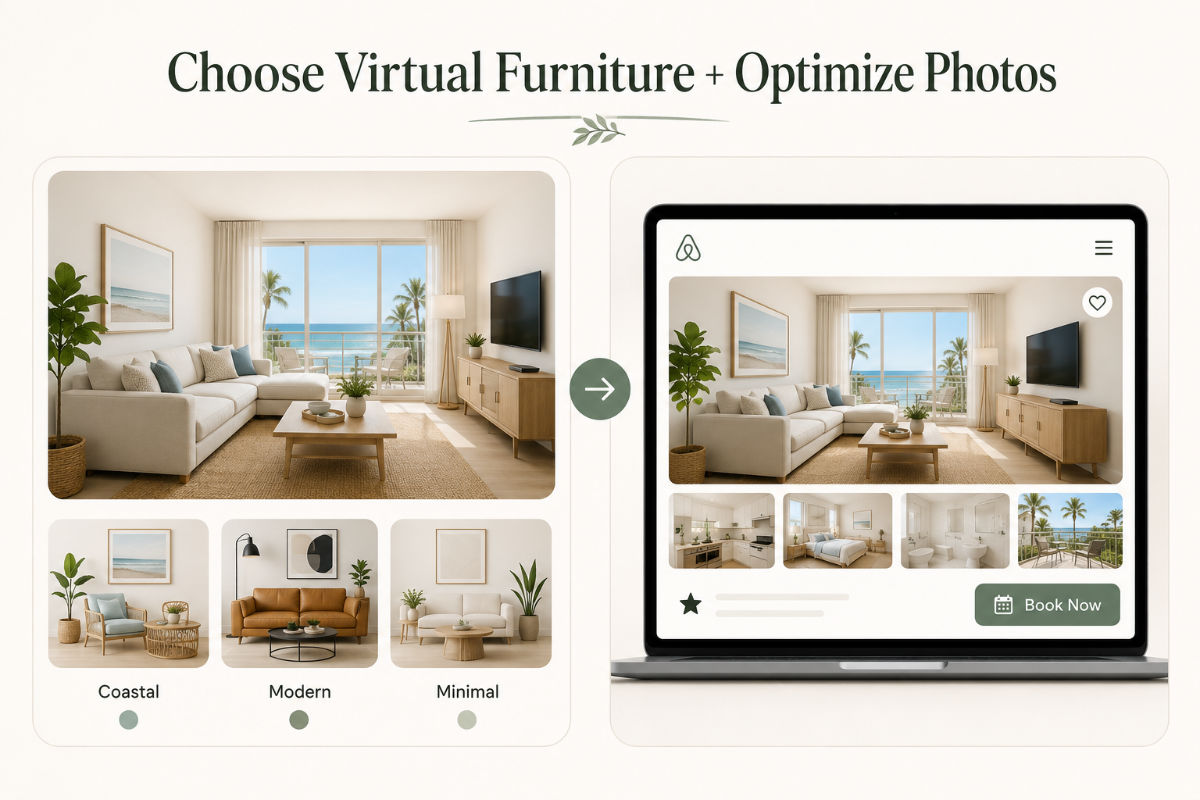
Good virtual furniture for Airbnb is furniture you either already own or genuinely plan to buy, as previewed in a photo of the actual room. Test a layout digitally before you spend on physical pieces, and you save money on the front end while keeping the listing truthful. Scale and lighting must match the room so the result looks photorealistic rather than pasted in, which is exactly where cheap automated tools tend to fail. When the staged photo mirrors the real furnishing plan, your images stay accurate, and your ratings stay protected through every stay.
3.2. Go beyond furniture with listing photo optimization
Airbnb listing photo optimization is the layer that turns good staging into a high-converting gallery, and it covers everything after the furniture is placed. Order the photos to tell a story from arrival to the best view, lead with your strongest hero shot, sync color and brightness across the set, remove distracting clutter, and brighten dim corners. A day-to-dusk conversion on the exterior can make a listing pop against pages of flat midday photos, especially for evening-arrival travelers. Pairing staging with careful Airbnb listing photo optimization is what separates a listing that gets clicks from one that gets skipped, and it is where an experienced real estate photo editing company earns its keep.
3.3. How many photos should you stage?
Stage the photos that carry the booking decision, which usually means the hero shot plus the main living space, primary bedroom, and kitchen. A tight set of eight to twelve strong images almost always outperforms a bloated gallery of mediocre ones, since guests judge fast and fatigue faster. Prioritize the rooms a guest cannot picture the stay without, then add supporting shots only when they genuinely help the story. Quality and consistency across the set matter far more than sheer count when a traveler is deciding in seconds.
3.4. Avoid the mistakes that sink a listing
The fastest way to waste a staging budget is to ignore the rules that protect guest trust and platform standing. Never show furniture or finishes that the guest will not find, never over-edit until the room looks nothing like reality, and always keep a note in your listing that images were digitally staged where the space is not yet furnished. These are not just courtesies; misrepresentation drives the poor reviews that quietly bury a listing in search. Handle disclosure openly, and your honest Airbnb virtual staging becomes an asset instead of a liability.
3.5. Physical vs. virtual staging vs. no staging
Choosing between the three comes down to cost, speed, and how much time you have before the booking season. Physical staging still shines for high-end sale listings, but it rarely pencils out for a rental you need to live in for days. The table below lays out the trade-offs for a host deciding how to prepare a vacant unit in a hurry. For a more detailed comparison, check our article about how virtual staging vs traditional staging stack up against each other.
|
Physical staging |
Virtual staging |
No staging | |
|
Typical cost |
$1,500-$5,000+ |
Per-image, often under $25 each |
$0 |
|
Turnaround |
Days to weeks |
24-48 hours |
None |
|
Best for |
High-end sale listings |
Vacant rentals, previewing a furnished |
Not recommended |
|
Main limit |
Cost and logistics |
Photos must match the real space |
Empty rooms underperform |
For most hosts prepping a unit before the tournament, virtual staging is the only option that fits both the budget and the calendar. Done well, Airbnb virtual staging delivers a furnished, on-brand gallery in a day or two for a small fraction of a physical stage. The one guardrail is accuracy: the images must reflect what guests will really find on check-in.
4. Why use a professional Airbnb virtual staging service?
DIY virtual staging tools may work for a single image, but creating a realistic and consistent gallery across an entire rental requires more than placing digital furniture into a room. Poorly scaled furniture, mismatched lighting, distorted architecture, or inconsistent styles can make a listing look artificial and reduce guest trust.
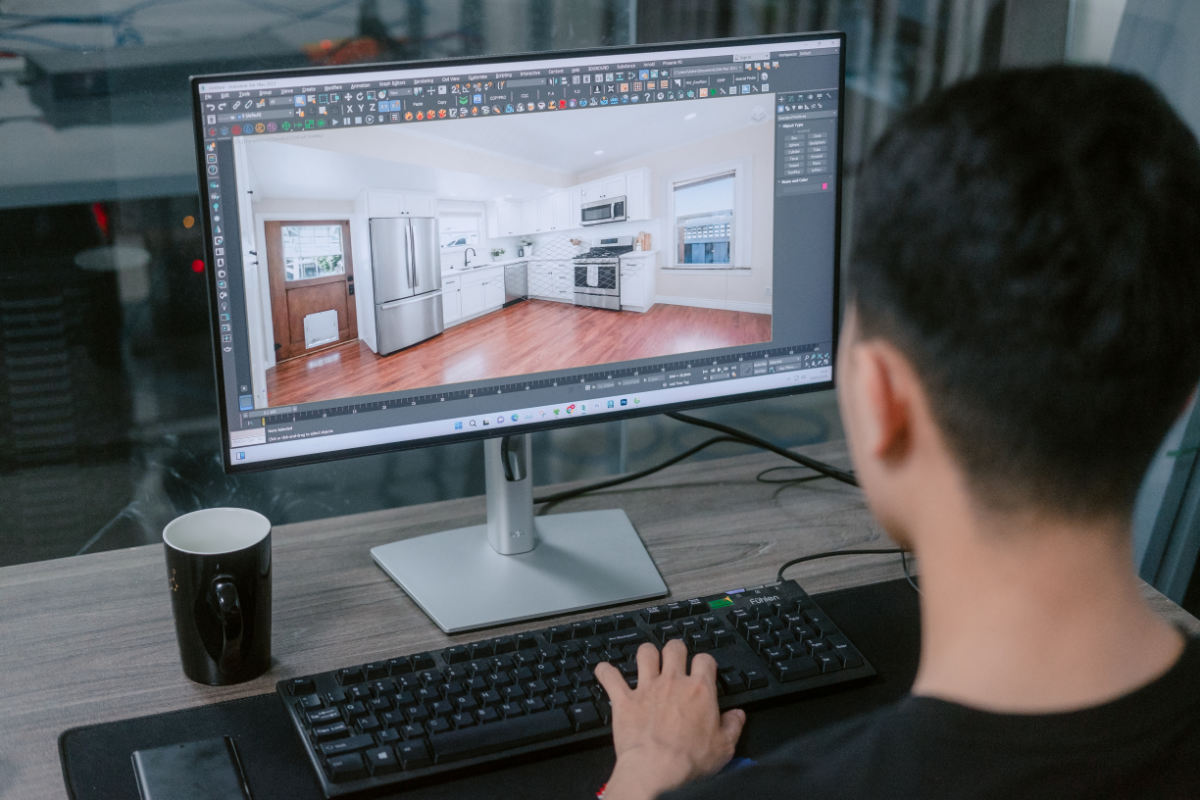
A professional virtual staging service helps you achieve:
- Photorealistic results: Furniture, shadows, lighting, and perspective are matched to the original room.
- Consistent styling: Every image follows the same design direction, color palette, and target guest profile.
- Accurate presentation: Professional editors preserve the real layout and permanent features to avoid misleading potential guests.
- Faster turnaround: Large photo sets can be completed quickly without spending hours testing furniture and correcting AI errors.
- Additional listing optimization: Images can also receive color correction, object removal, window enhancement, or day-to-dusk editing.
Fotober provides professional Airbnb virtual staging for individual hosts, real estate agents, and property managers handling multiple vacation rentals. Our editors match furniture to the size and architecture of each space, maintain consistency across the full gallery, and deliver listing-ready images within a typical 24-48-hour turnaround.
5. Frequently asked questions about Airbnb virtual staging
Does Airbnb virtual staging increase bookings?
Yes, indirectly but powerfully, through the photos. Airbnb's analysis of 14,700+ listings found professional photography earned hosts about 21% more and roughly 19% more bookings over a year, and a strong photo depends on a furnished, well-designed room. Staging the space is what makes those high-performing photos possible in the first place.
Is Airbnb virtual staging allowed for short-term rentals?
Yes, as long as the photos match the real space. Because guests actually stay in a rental, your images must reflect the furniture and finishes they will find on arrival, so use staging to plan and preview the real furnishings rather than to show items that will not be there. Misleading photos violate guest trust and lead straight to poor reviews.
How much does it cost compared to physical staging?
Physical staging typically runs $1,500 to $5,000 or more, with NAR reporting a median staging-service cost of $1,500. Virtual staging is dramatically cheaper, usually priced per image, which is why hosts use it to preview a furnishing plan or refresh listing photos before spending on real furniture. The savings and speed are the whole point during a tight booking window.
How fast can I get staged photos before the World Cup rush?
With an outsourced editing partner, staged and optimized photos typically come back in 24 to 48 hours. That speed is the reason virtual staging beats physical staging when a match-day window is only weeks away. Send your empty-room photos, approve the style, and your listing can be live before demand peaks.
Can virtual staging work for occupied or dated rentals too?
Yes. Beyond empty units, editors can restyle a dated room or digitally declutter an occupied one so the photos show the space at its best while staying true to what guests will find. For any rental, keep the restyling realistic and disclose edits wherever the real space differs from the image.
6. Conclusion
Airbnb virtual staging gives hosts a fast, cost-effective way to transform empty rentals into attractive, bookable listings during the limited World Cup demand window. By combining realistic furniture placement, consistent colors, optimized listing photos, and honest presentation, hosts can make their properties stand out and convert more views into bookings.
Fotober stages vacant rentals, matches virtual furniture to your real space, and handles the full listing set, including day-to-dusk exteriors and color-consistent galleries, with a typical 24-48 hour turnaround and per-image pricing. Whether you run one unit near a stadium or manage a dozen across a host city, our team scales with your volume without slowing down. Send us your empty-room photos, and we will return a bookable listing while the World Cup demand is still on the clock. Ready to fill those rooms? Place an order or start a free trial and get your first staged photos back this week.
Connect with Fotober
- Facebook: fotobermedia.co
- YouTube Channel: Fotober
- TikTok Channel: @fotober
- Instagram: fotober_media
- Email support: [email protected]
- Hotline: +84 942 110 297
Related posts

Cincinnati Housing Market 2026: Prices, Trends, and What It Means for Buyers, Sellers, and Investors
October 20, 2026

Modern Luxe Interior Design: Elements, Style Guide and How to Stage It
October 10, 2026

Minimalist Interior Design: Characteristics, Style Guide, and Staging
October 8, 2026

Coastal Interior Design: Style Definition & Staging Guide
September 30, 2026
