




Top AI Real Estate Video Editing Tools in 2026 (Pros, Cons & Best Use Cases)
.png)

Share:
Table of Contents
Today, I’m going to introduce some of the most practical AI real estate video editing tools that agents and real estate businesses are using right now. AI is no longer a future concept - it’s already transforming how real estate videos are created for marketing campaigns, property promotions, personal branding, and home listings across social media, business fanpage, and public platforms.
If you’re not adapting to this trend, you’re likely missing valuable opportunities to reach buyers faster and more effectively. I’m Daniel Ditran, and after spending significant time researching and testing AI in real-world real estate marketing workflows, I want to share what actually works - and what doesn’t - so you can make smarter decisions for your video content.
1. What Is an AI Real Estate Video Editor?
An AI real estate video editor is a tool that uses artificial intelligence to help create, edit, and optimize property videos faster than traditional editing methods. Instead of spending hours cutting clips, adjusting colors, adding text, or resizing videos for different platforms, AI handles much of the repetitive work for you.
In simple terms, AI real estate video editing tools are designed to turn raw property footage into ready-to-publish videos with minimal manual effort. They can automatically trim scenes, enhance lighting, add background music, generate captions, and even format videos for social media like Instagram, Facebook, or TikTok.
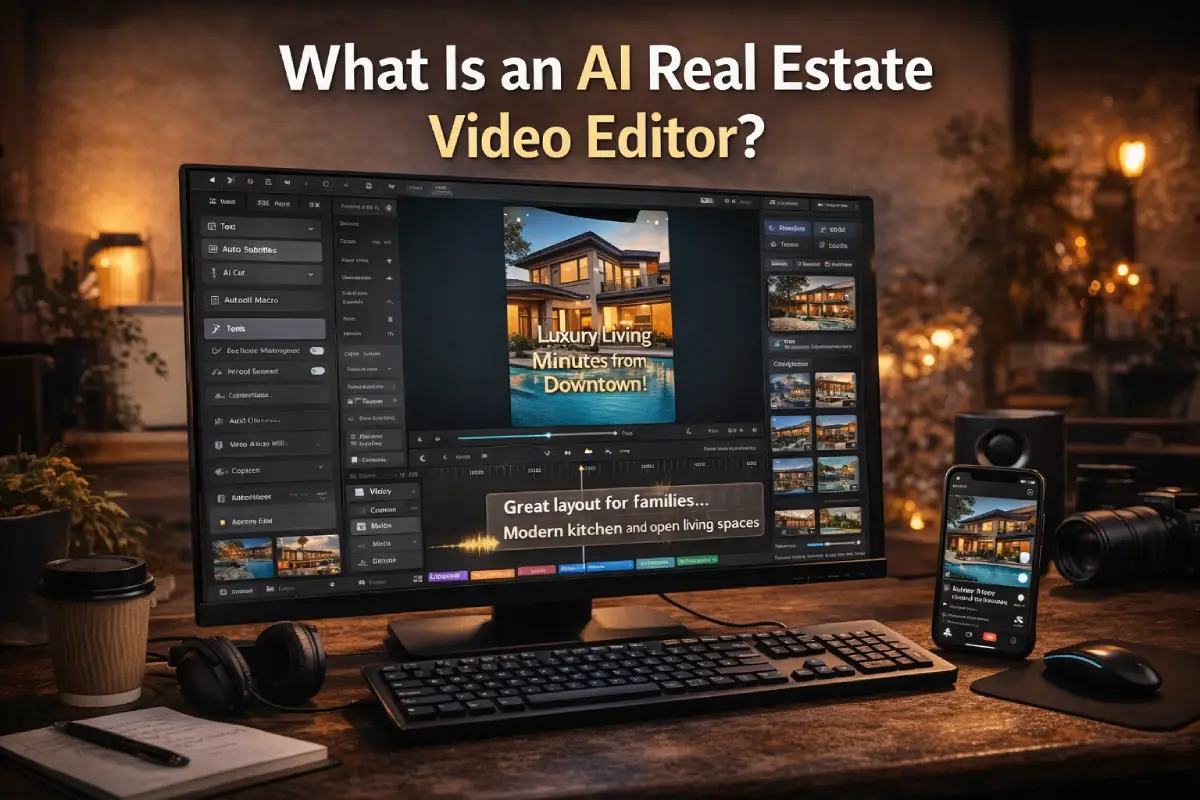
What makes these tools appealing-especially for busy agents-is speed. If you’re posting listing videos regularly or creating short marketing clips for personal branding, AI can help you keep up without feeling overwhelmed. Many real estate professionals use AI video editing for real estate to quickly produce content that looks clean, modern, and good enough for everyday marketing.
That said, an AI editor doesn’t “understand” a property the way a human does. It doesn’t know which corner of the living room sells the lifestyle, or which exterior shot builds emotional value for buyers. AI follows patterns and presets-it edits based on data, not intention.
So when people talk about an AI real estate video editor, they’re really talking about a productivity tool. It’s great for speeding things up and supporting your workflow, but it’s still just one part of the bigger picture when it comes to creating real estate videos that truly connect, convert, and sell.
2. Best AI Real Estate Video Editing Tools in 2026
There’s no shortage of AI real estate video editing tools on the market right now. Most of them are built around templates, automation, and speed-which is exactly why many real estate agents are drawn to them. If you’re creating listing videos frequently, posting on social media, or testing different marketing formats, these tools can help you move fast without getting stuck in complex editing software.
That said, not every AI tool is built with real estate in mind. Some work better for short social clips, others for simple listing showcases. Below are some of the most popular AI video editing tools for real estate in 2026, along with what they do welland where they fall short.

Quick Comparison of AI Real Estate Video Editing Tools:
2.1. Magisto
Best for: Fast social media listing videos
Magisto is one of the more well-known AI real estate video editing tools, especially among agents who want quick results. You upload your clips, choose a style, and the AI automatically edits the video for you. It’s fast, simple, and requires almost no learning curve.
However, Magisto relies heavily on predefined templates. For real estate, that means many videos end up looking similar. It works fine for quick social posts, but it doesn’t offer much flexibility when you want to highlight unique property features or create a more premium feel.
2.2. Animoto
Best for: Clean, simple listing promotions
Animoto is popular for its ease of use. With drag-and-drop editing and built-in layouts, it’s a comfortable entry point into AI video editing for real estate. It’s especially useful for agents who want straightforward listing videos without dealing with technical details.
The downside is that Animoto focuses more on simplicity than depth. It doesn’t handle complex pacing, storytelling, or emotional flow very well-things that matter when you’re selling more than just square footage.
2.3. InVideo
Best for: Real estate marketing videos and ads
InVideo offers a wide range of templates designed for marketing, which makes it appealing for social ads and promotional campaigns. Its AI features help with scene transitions, text placement, and formatting videos for different platforms.
For real estate, though, InVideo can feel a bit “template-heavy.” If you’re not careful, your videos may start to look generic, especially when multiple agents are using the same layouts and styles.
2.4. Pictory
Best for: Turning scripts or text into videos
Pictory takes a different approach. Instead of focusing on raw footage, it uses AI to convert text into video scenes. This can be helpful for educational content, market updates, or brand storytelling in real estate.
But when it comes to actual property videos-showing space, lighting, and layout-Pictory isn’t the strongest option. It’s better suited for supporting content rather than full listing presentations.
2.5. Descript
Best for: Voice-based editing and talking-head content
Descript is powerful in its own way, especially for podcasts, voiceovers, and interview-style videos. Its AI transcription and auto-cut features make editing spoken content extremely efficient.
For real estate video editing, however, Descript is more of a supporting tool. It doesn’t focus on visual storytelling, camera movement, or showcasing property details, which are essential when presenting a home or commercial space.
Overall, these AI real estate video editing tools can save time, reduce costs, and help you stay consistent with content. But they all share one limitation: they follow patterns, not strategy. They’re great for speed and volume-but when your goal is branding, conversion, or high-value listings, AI alone often isn’t enough.
3. How to get better real estate videos with AI editing tools
Using AI real estate video editing tools can definitely make your workflow faster-but speed alone doesn’t guarantee better videos. The difference between a video that simply “looks okay” and one that actually attracts buyers often comes down to how you use AI, not just which tool you choose.
Here are a few practical ways to get more out of AI video editing for real estate, without letting your content feel generic or overly automated.

3.1. Start with clean, well-shot footage
AI can help with cutting and formatting, but it can’t fix poor footage. Make sure your videos are well-lit, steady, and thoughtfully framed. When the original clips look good, AI tools can enhance them instead of trying to compensate for mistakes.
3.2. Use AI for structure, not storytelling
AI is great at organizing clips, adding basic transitions, syncing music, and preparing videos for different platforms. Let it handle the repetitive tasks. But don’t rely on AI to decide which moments truly sell the property-those decisions still matter.
3.3. Keep AI-generated scenes short and intentional
One common mistake is letting AI control the entire video. Instead, use AI-generated segments as highlights-quick intros, social clips, or supporting visuals-then balance them with real footage that shows the space naturally. This mix feels more authentic and easier for buyers to trust.
3.4. Adapt your videos for different goals
A casual social post, a listing video, and a paid ad all need different pacing and structure. AI real estate video editing tools make resizing and reformatting easy, but the strategy behind each video still matters. Knowing the purpose before you edit will improve results dramatically.
3.5. Combine AI with professional editing when it matters most
When you’re creating videos for ads, personal branding, or high-value listings, AI alone usually isn’t enough. This is where a hybrid workflow works best. Many successful agents use AI to speed up the process, then rely on professional real estate video editors to refine the pacing, color, storytelling, and overall polish.
By blending AI-edited clips with traditionally shot footage-and letting experienced editors bring everything together-you get videos that feel modern, professional, and real. AI helps you move faster, but human editors help your videos connect, convert, and stand out in a competitive real estate market.
4. AI-Generated Real Estate Video Examples
Some of Fotober’s AI-assisted videos clearly demonstrate how technology can support visual quality without overpowering creative intent. AI is primarily used to handle foundational improvements such as light balancing, color optimization, frame cleanup, and detail enhancement in less-than-ideal footage. Watching these videos, I can sense the relief that comes from knowing the visuals are under control-allowing the story of the property to unfold smoothly and confidently on screen.
What resonates with me most is that these videos never feel artificial or over-processed. AI remains quietly in the background, while pacing, spatial storytelling, and visual emphasis continue to follow the logic of high-end real estate marketing. This balance creates a sense of trust. As a viewer, I don’t feel manipulated; instead, I feel guided. And in a high-value market, that emotional reassurance-the feeling that what you see is honest, refined, and intentional-matters just as much as technical perfection.
There are many types of AI videos:
5. Why Fotober Is the Smarter Choice
There’s no denying it, AI real estate video editing tools are fast. They help agents publish more content, stay active on social media, and keep up with today’s pace of digital marketing. For quick edits and everyday posts, AI does its job well.
But speed isn’t the same as impact.
AI can assemble clips, apply presets, and follow patterns. What it can’t do is understand why a specific shot matters, or how a video should flow to guide a buyer’s attention. That’s where professional editing still plays an important role in real estate video editing.
At Fotober, AI isn’t treated as a replacement-it’s a supporting tool. We use AI to accelerate parts of the workflow, then rely on experienced editors to shape the story, refine the pacing, and make sure each video feels intentional rather than automated.
“AI can make a video faster, but a human editor makes it meaningful. In real estate, that difference matters more than people think.” - Fotober Senior Video Editor
This hybrid approach allows AI-generated elements to act as highlights, while professionally edited footage brings authenticity, emotion, and clarity to the final video. The result isn’t overproduced-but it doesn’t feel generic either.
When videos are meant to introduce an agent’s profile, promote a brand, or run as paid ads, details start to matter. Storytelling, visual balance, and conversion-focused editing can’t be left entirely to automation. AI video editing for real estate works best when it’s guided by people who understand marketing, buyers, and how properties are actually sold.
Fotober helps bring everything together-AI efficiency, human judgment, and real-world real estate experience-so your videos don’t just get published, but actually connect with viewers.
Conclusion
AI real estate video editing tools have opened the door to faster and more accessible video production. Tools like Magisto, Animoto, InVideo, Pictory, and Descript are useful in the right situations-especially for quick content and high-volume workflows.
But the strongest results come from a hybrid workflow. AI helps you move fast. Professional editors help your videos stand out, tell a clearer story, and support real marketing goals. When both are used together, real estate videos feel more polished, more human, and more effective.
If you’re looking to go beyond templates and automation, combining AI with experienced editing may be the smarter next step.
· Fanpage Official: Fotober.media
· YouTube Channel: Follow Fotober
· TikTok Channel: @fotober
· Instagram: fotobervn_
· Email supporter: [email protected]
· Hotline: +84 942 110 297
Related posts

Cincinnati Housing Market 2026: Prices, Trends, and What It Means for Buyers, Sellers, and Investors
October 20, 2026

Modern Luxe Interior Design: Elements, Style Guide and How to Stage It
October 10, 2026

Minimalist Interior Design: Characteristics, Style Guide, and Staging
October 8, 2026

Coastal Interior Design: Style Definition & Staging Guide
September 30, 2026
